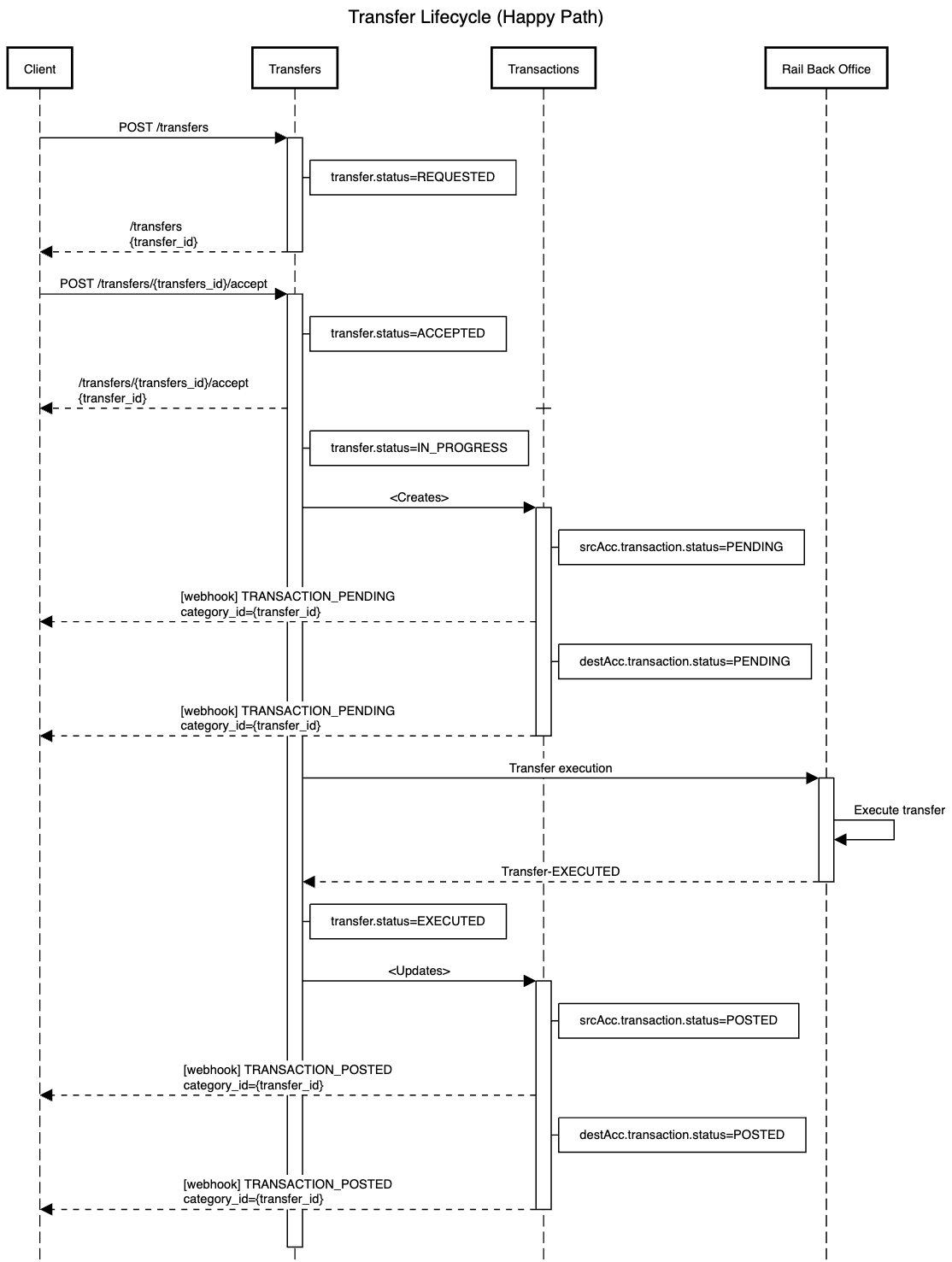
Transfer move funds between any two accounts on the system. Accounts can belong to different customers but must be of the same asset type. To transfer funds across asset types, use the Exchange functionality.
There are 3 steps to performing a transfer:
- Setup the Transfer - Setup the transfer using the
transfersendpoint. This will give you thetransfer_idthat you will need to accept/execute or retrieve details on the transfer. - Execute the Transfer - Accept the transfer using the
transfers/{transfer_id}/acceptendpoint. Thestatusfield in the response will provide the status of the transfer. - Retrieve Transfer Details - You can get details of any executed Transfer using the
transfers/{transfer_id}endpoint
Scenario where the transfer lifecycle executes without issues.