Accounts
Opening a new customer account
When you create a new application and a new customer, a new account will be automatically created according to the specifications provided.
You can create additional accounts for that same customer for any currency.
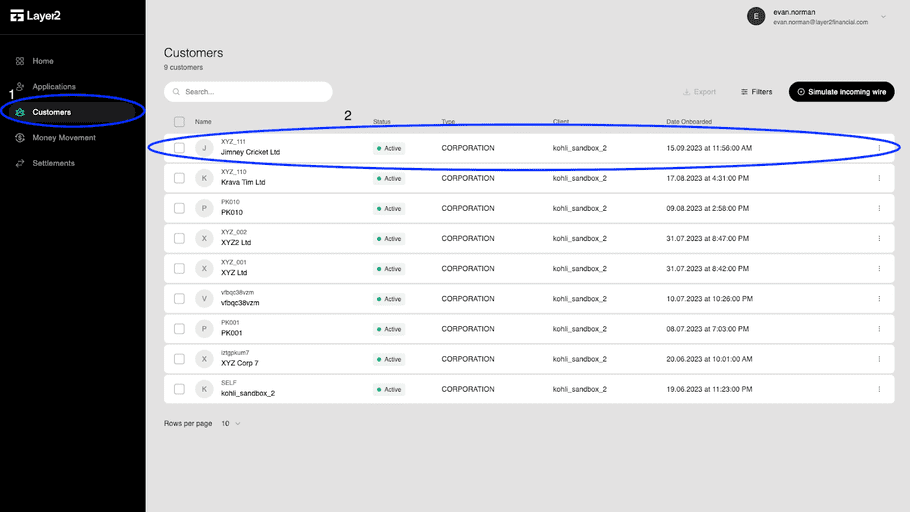
To create another account, you will need to navigate to “Customers” on the left column and then click on the appropriate Customer.
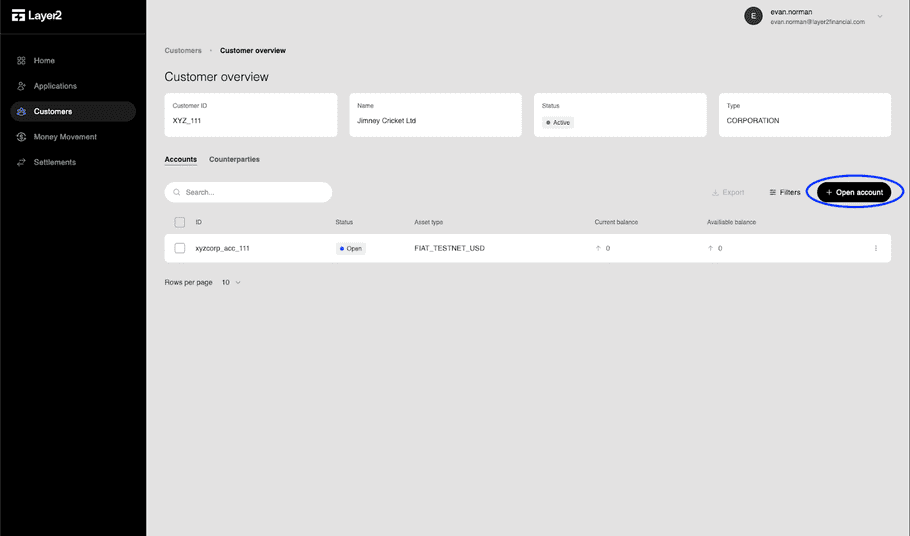
Once at the Customer Overview screen, on the right side, you’re able to click on the “+ Open account” button to open an account.
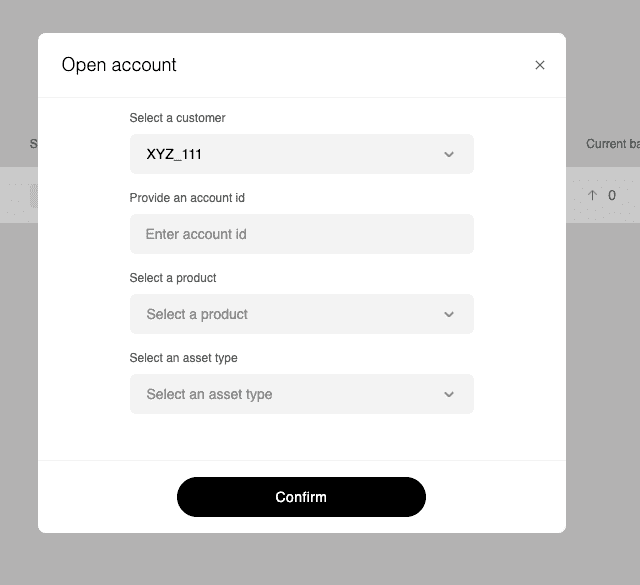
Similar to when you opened an account previously, you can select the customer, specify the account id and then are required to select a product and asset type.
When confirmed, you can create any money movement including simulate an incoming wire (sandbox only), deposit, withdrawal, transfer or exchange.